Introduction
The raw data coming from the microscope are saved as individual .tif files for each image. To better manage your data, you can combine them into .tif stacks. Here, we describe how.
-
-
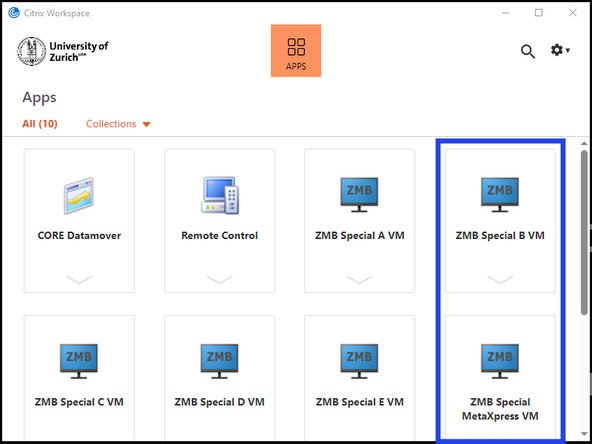
Open either ZMB Special B VM or ZMB Special MetaXpress VM
-
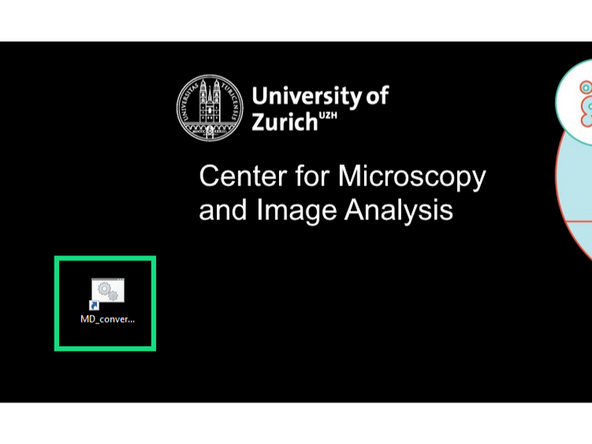
Launch the 'MD_converter' app.
-
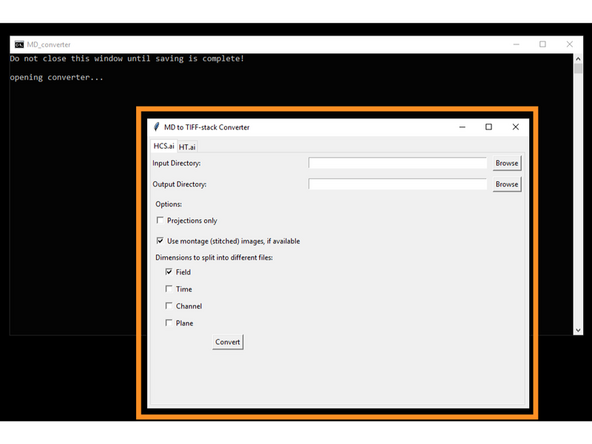
Wait until the app is open.
-
Do not close the terminal window until you are finished with converting files.
-
-
-
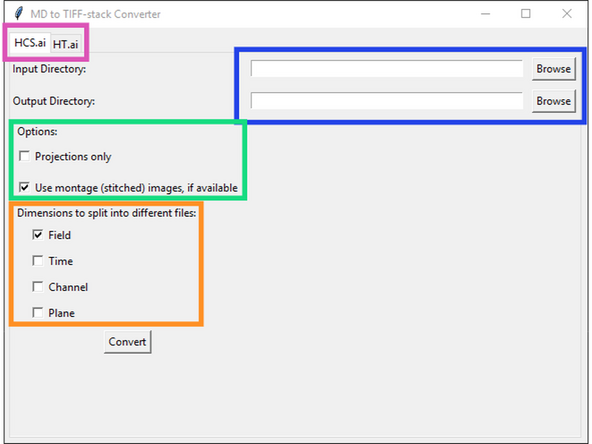
Choose instrument
-
The HT.ai is the old instrument that is no longer available at the ZMB.
-
Choose Input- and Output-Directories
-
The input directory should point to the folder which contains the .mxprotocol file.
-
Decide which type of data should be converted.
-
If Projections only is selected, only 2D data will be converted, the 3D tacks will be ignored. If no 2D data is available, maximum projections will be calculated and saved.
-
If the Use montage option is selected, the app will convert the stitched or montaged data, if it is present. If it is not available, it will simply convert the un-stitched data.
-
Choose how to split the converted files. By default, the wells and fields will be split into separate files, but time, channels and z-planes will be combined into a single TIF stack.
-
-
-
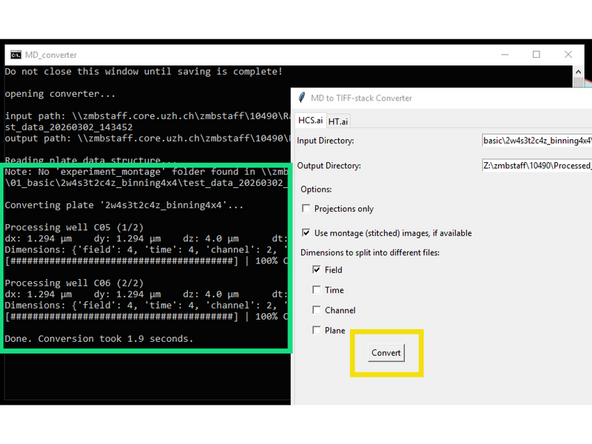
Start the conversion by pressing 'Convert'
-
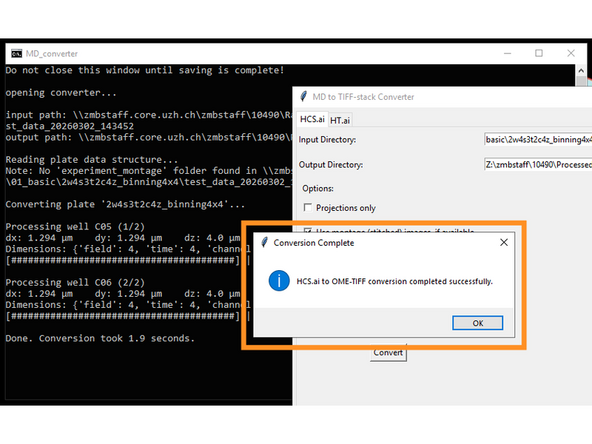
The terminal will show information about the data to be converted and the progress.
-
When finished, a pop-up window will tell you that the conversion is done.
-
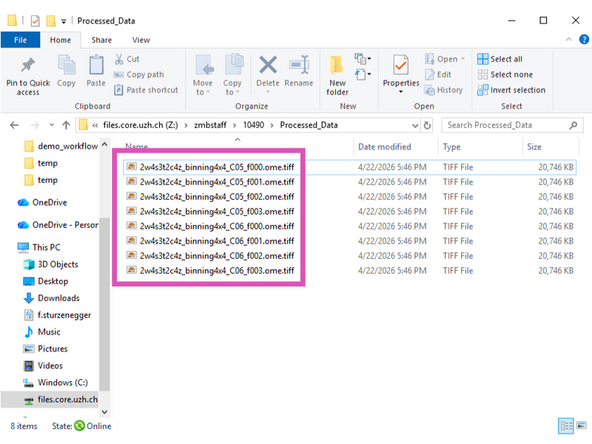
The converted stacks will be available in the output folder and can be opened in e.g. Fiji.
-
You can now continue to convert other datasets, or close all windows if you are finished.
-