Introduction
This guide describes how to troubleshoot the Nikon Ti2-E Crest V3 spinning disk system when it loses its objective configuration. The issue is indicated by an "nd" message displayed on the joystick controller and undefined objectives in the software.
-
-
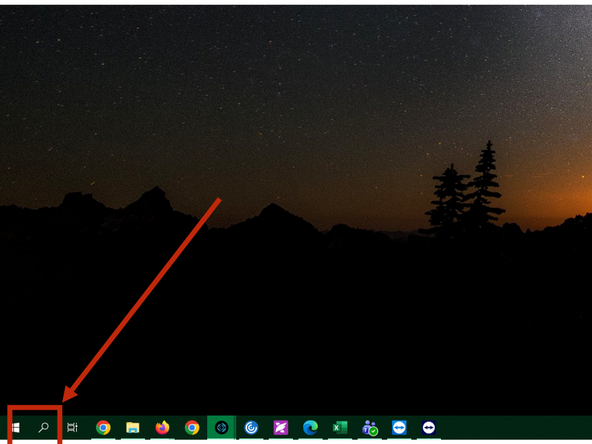
Open Ti2 control app: Search in the Windows Start for the app
-
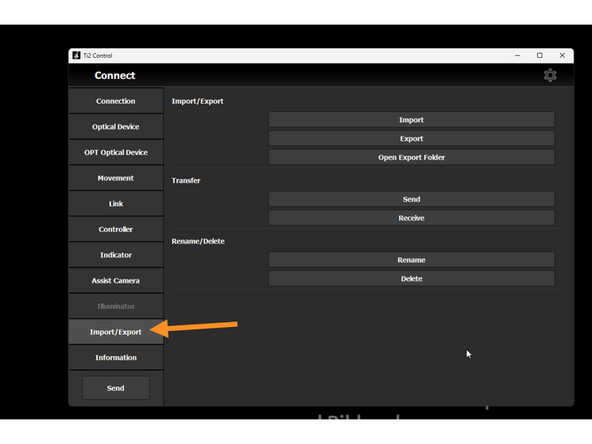
Go to Import/Export and click on Open Export Folder - (if you have never uploaded configs before)
-
A new empty folder will opened - keep it on the desktop
-
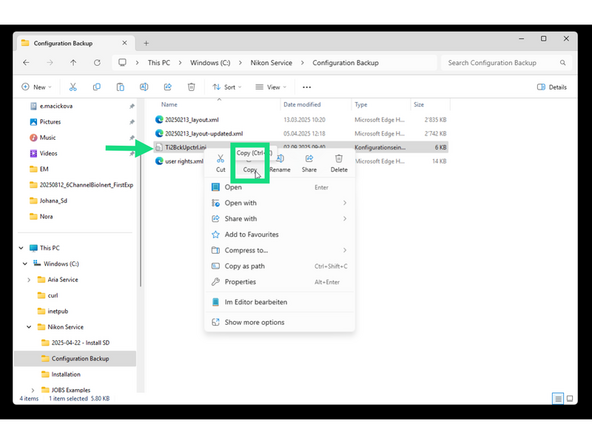
Open a second File Explorer and find a file in this path: C:/Nikon Service/Configuration Backup called Ti2BckUpctrl --> copy it to the open Export Folder
-
Close both folders.
-
In the Ti2 control app click Import, and load the Ti2BckUpctrl settings.
-
Click on OK and confirm to send it to microscope.
-