Introduction
If you have a large sample and you want to have a fast overview, the built-in Leica DFC7000 T Color CCD Camera is the ideal partner for this job. It can be operated in both fluorescence and brightfield mode and will capture a widefield image.
Please be aware that thanks to the widefield characteristics, up to your whole sample will be roughly in focus without any further focus definition. However, if you have a very thick sample, it might also lead to seamingly blury samples due to the out-of-focus light.
-
-
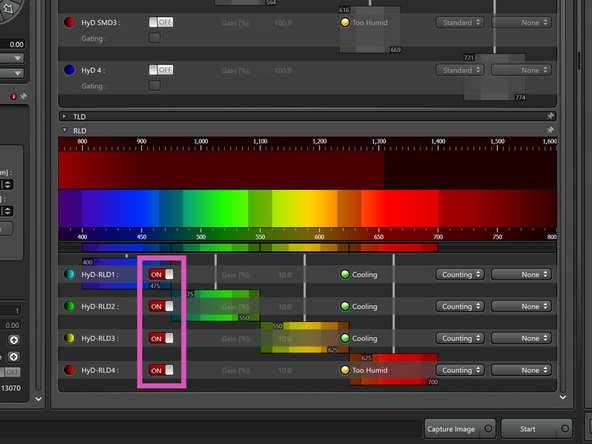
Switching off the RLD detectors for MP imaging is crucial in order not to harm them!!
-
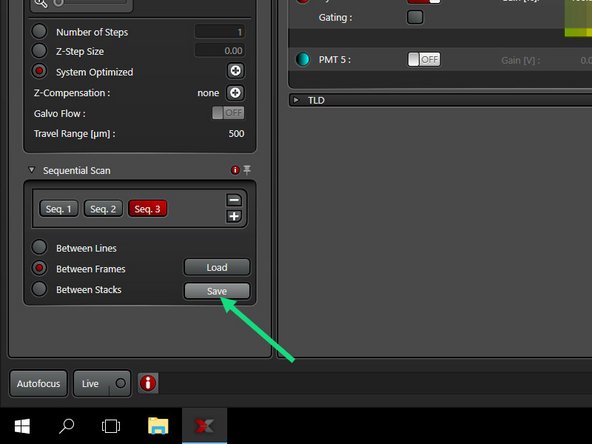
If needed, save your sequential settings.
-
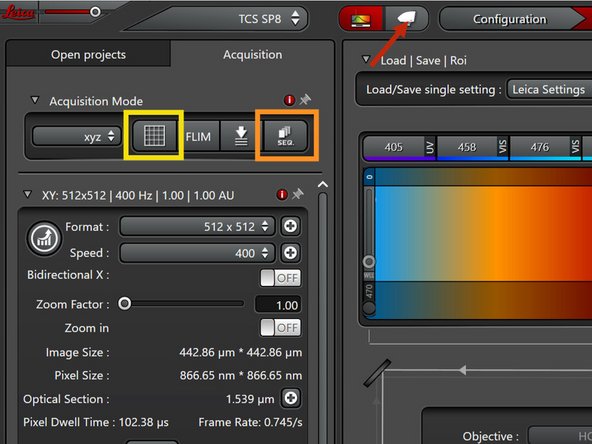
Deactivate the sequential settings (must be gray).
-
Deactivate all HyD-RLD detectors.
-
Activate the camera (widefield mode).
-
Go to the "Navigator".
-
-
-
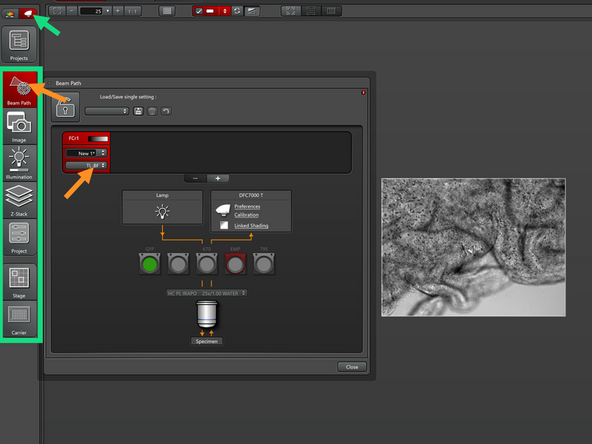
If you have the camera (widefield) option activated, you will see some widefield-specific tabs on the left.
-
In the "Beam Pass" tab, select "TL-BF" if you want to image with brightfield.
-
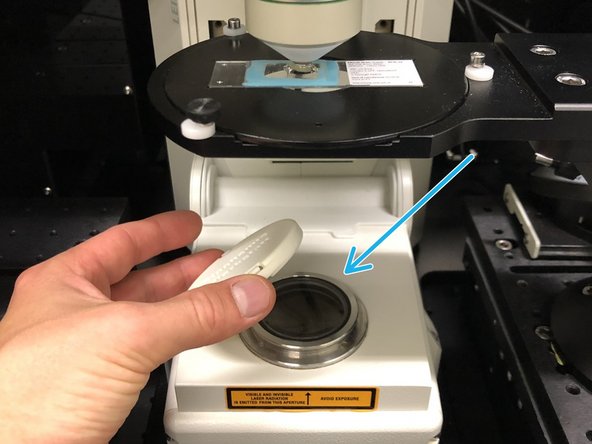
Before using brightfield, please remember to remove the protection cap.
-
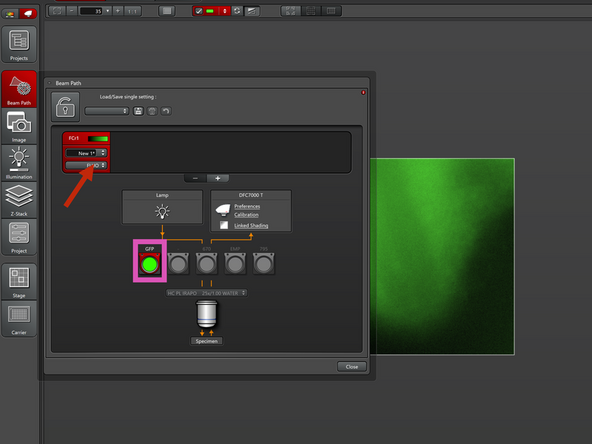
If you want to use fluorescence instead, select "FLUO".
-
At the SP8 MP DIVE, only one filter cube for GFP is installed.
-
-
-
Go "Live".
-
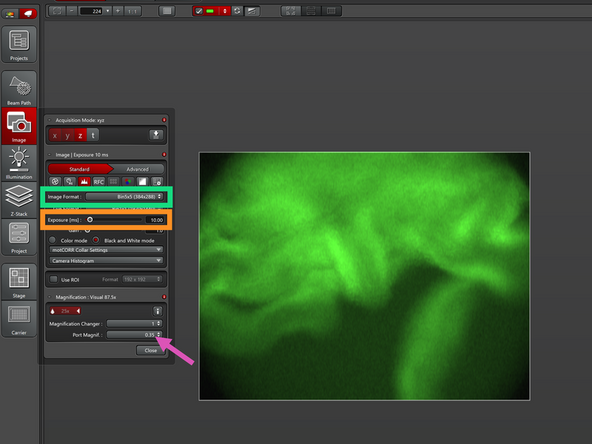
The camera has a rectangular format, which is different from the standard square format in confocal.
-
Adjust the Exposure Time. Longer exposure times will lead to better signal.
-
You can use binning (up to 5x5) in the "Image Format", which will sacrifice some resolution in order to get better signal with unchanged exposure time.
-
This is a good strategy if you have a light-sensitive sample.
-
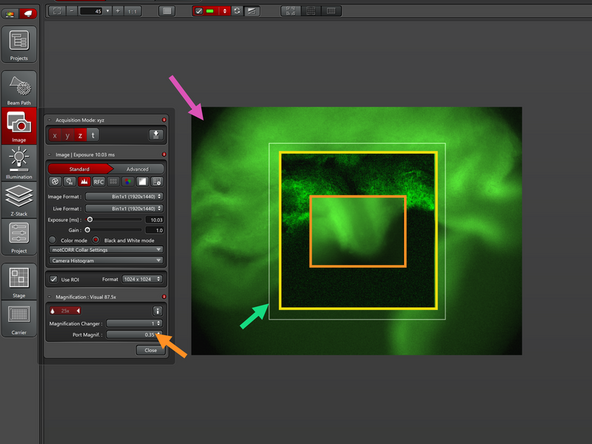
For the fastest overview, leave the "Port Magnification" at 0.35.
-
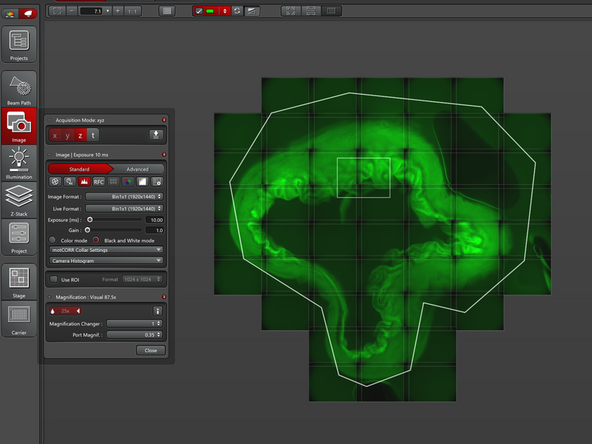
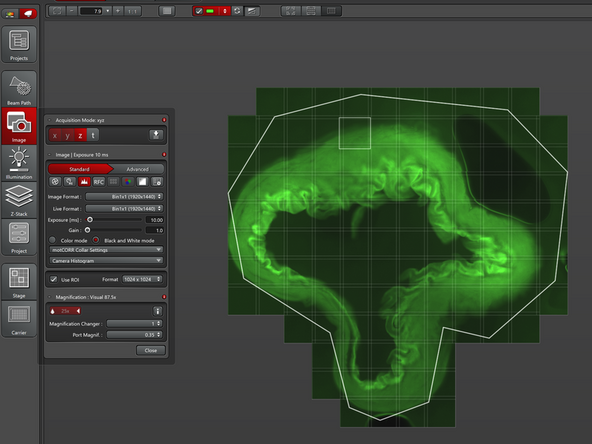
You can now use all the tools available in the Navigator (i.e. Spiral, Polygon, etc.) in order to define your region to be imaged.
-
Press "Start" to acquire the overview
-
-
-
You may notice some dark shadows at the edges.
-
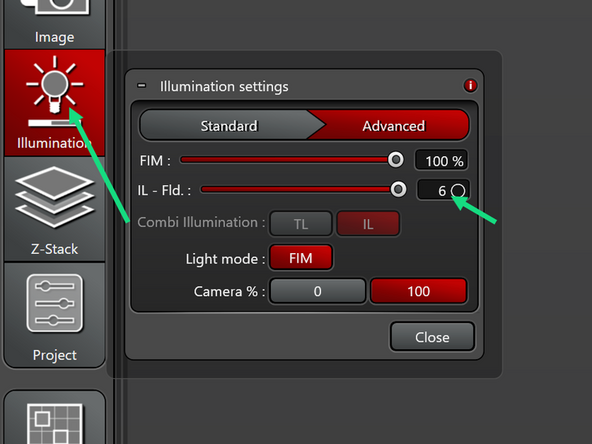
Make sure that in the "Illumination" tab the field aperture "IL-Fld" is at 6. If smaller, the dark shadows grow bigger. However, with a Port Magnification of 0.35, there is always a little shadow.
-
A workaround (even though slower) is to increase the Port Magnification. As a result, the field of view (FOW) will be smaller. This will also decrease pixel size and therefore increase resolution.
-
For comparison, the confocal FOV with zoom=1 is shown.
-
Another option is to use only part of the camera chip via "ROI": the FOV gets smaller, however without a change in pixel size (indicated by the white line).
-
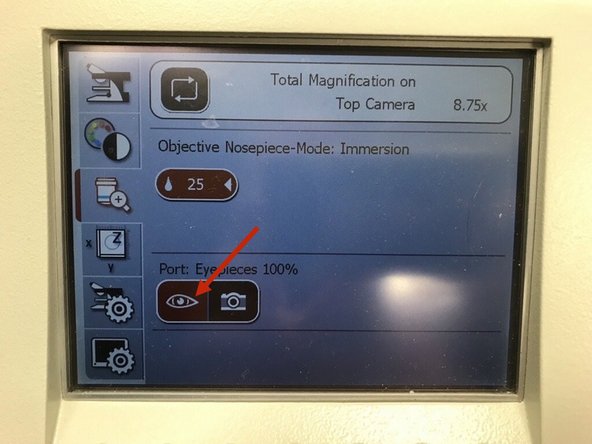
If you want to use the eyepieces again (e.g. for focusing), you will need to switch manually to the correct beam path on the external controller.
-